Sendr v2.2 Update: Lip-Sync Videos, Voice Clones, and New Features
I’m Jay from AppSumo, and in this post, I’m handing the mic to John — Sendr’s Chief Product Officer and co-founder — to walk you through the major upgrades in Sendr v2.2. These updates speed up page creation, boost creative flexibility, and introduce media features like lip-sync videos and unlimited voice clones. Below, I break down the new features, share screenshots from John’s walkthrough, and offer tips to help you start using them immediately.
Quick Answer
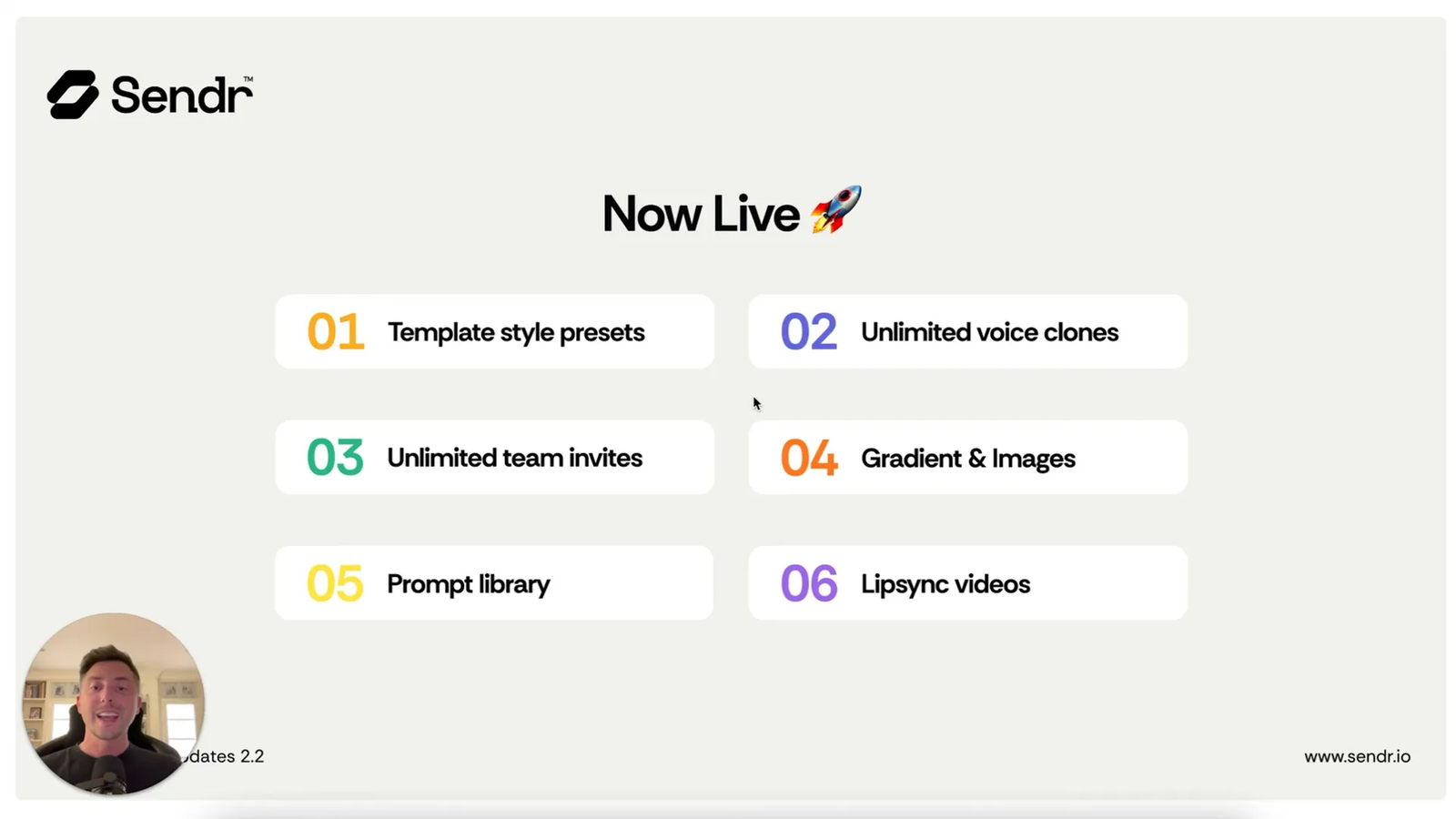
- Template Presets: Save brand assets like fonts and logos to build pages much faster.
- Unlimited Voice Clones: Create and apply endless voice clones across all pricing tiers.
- Team Collaboration: Invite team members to manage templates and campaigns (available in tiers 3 and 4).
- Prompt Library: Use community-tested AI prompts to enrich data without writing your own from scratch.
- Lip-Sync Videos: Record once and let AI sync mouth movements to generate personalized videos at scale.
Table of Contents
- 🎨 Template Styles & Presets
- 🎙️ Unlimited Voice Clones
- 🤝 Team Invites
- 🖼️ Gradients & Images
- 🧠 Prompt Library
- 🎬 Lip Sync Videos
- ✅ Conclusion
- ❓ FAQ
- 🔚 Final note
🎨 Template Styles & Presets
Creating branded page templates is now much faster. Instead of starting from a blank canvas every time, you can configure an unlimited number of style presets in your Settings. Save your brand fonts, logos, images, and media assets as a preset and reuse them across templates. This gets you about 60% of the way to a finished page instantly.
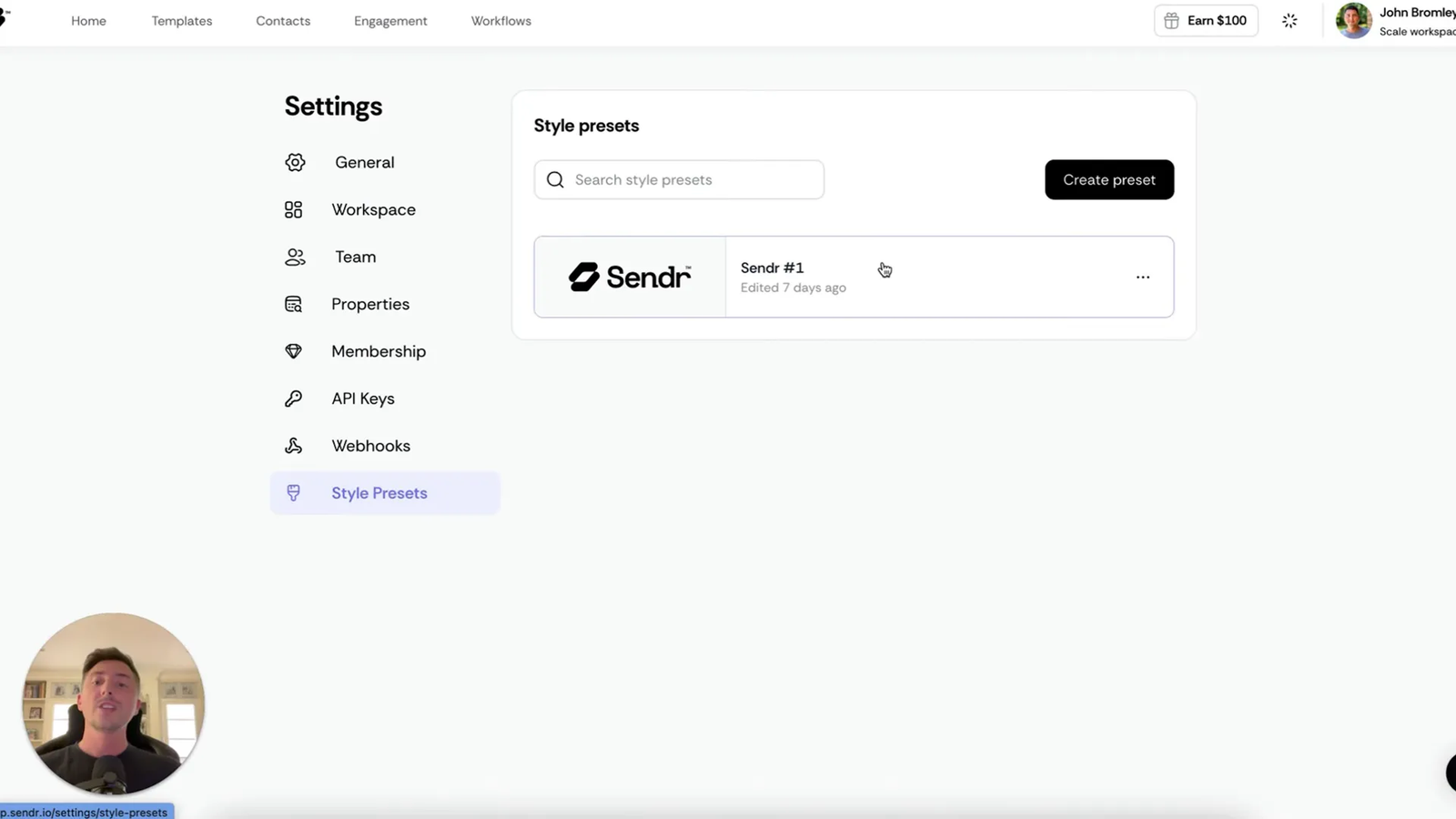
How it helps
- Centralize brand assets (fonts, logos, images) for better consistency.
- Spin up new templates quickly so you only have to tweak copy and variables.
- Support teams that create many personalized pages or campaigns.
“Save that as a template… every single time you go to create a template, you can use that style preset.” — John, Sendr
🎙️ Unlimited Voice Clones
Sendr removed limits on voice clones for all tiers. If you use dynamic audio, you can now create unlimited voice clones and apply them to any page template. This provides more personalization, extra variations, and complete freedom when experimenting with voice assets.
Practical tip
Create multiple voice styles for different campaign segments, like a formal sales tone, a casual follow-up, or a brand spokesperson voice. This allows you to A/B test which voice drives the most engagement.
🤝 Team Invites
Collaboration is now available in tiers 3 and 4. You can invite collaborators to your workspace directly from the Team tab in Settings. Team members can:
- Build and edit page templates.
- Manage engagements and follow-ups.
- Set up automations and workflows.
- Run enrichments and prepare datasets in tables.
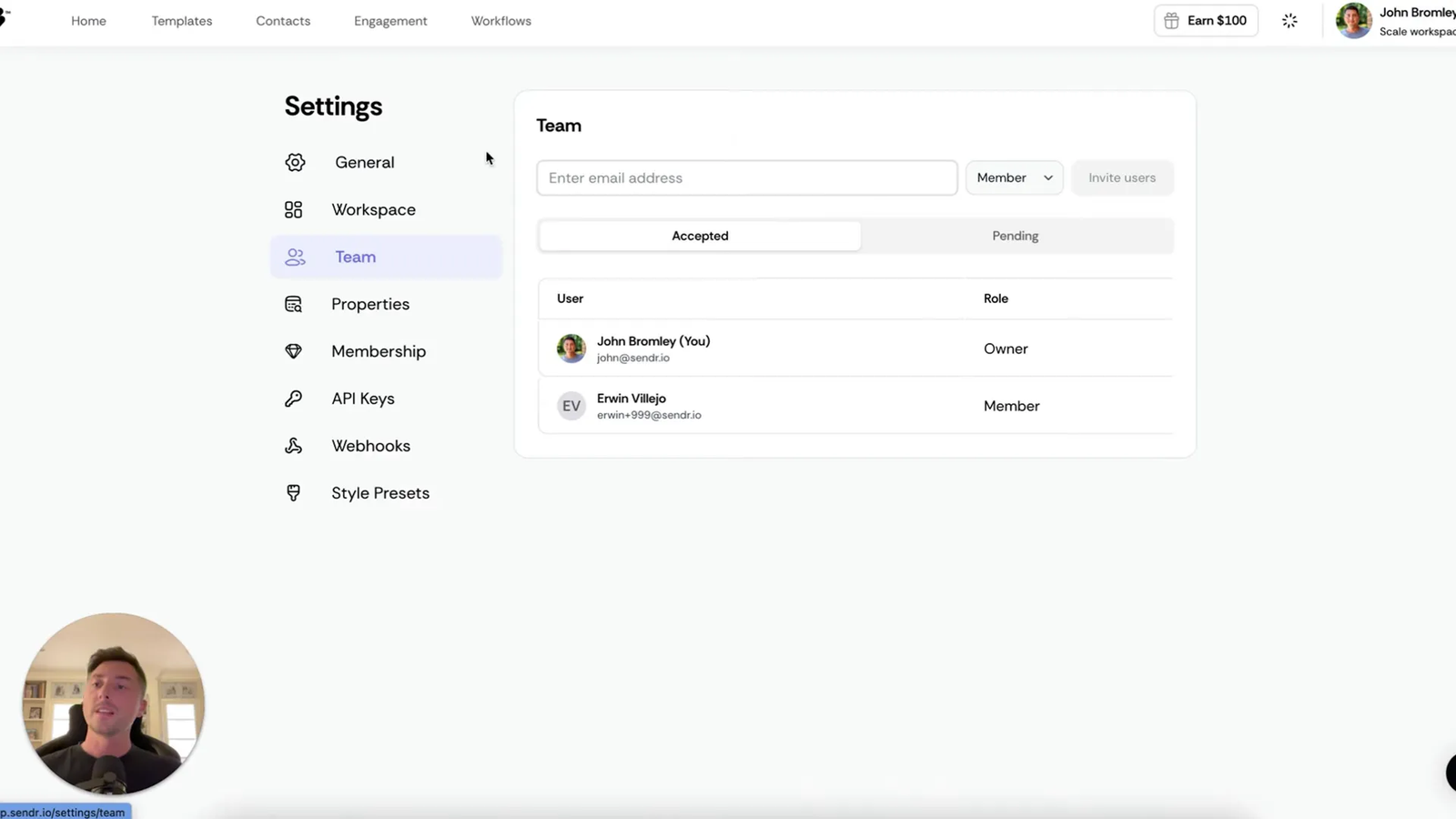
This was a highly requested feature. It is perfect for agencies, marketing teams, and cross-functional groups that need shared access to templates and campaigns.
🖼️ Gradients & Images
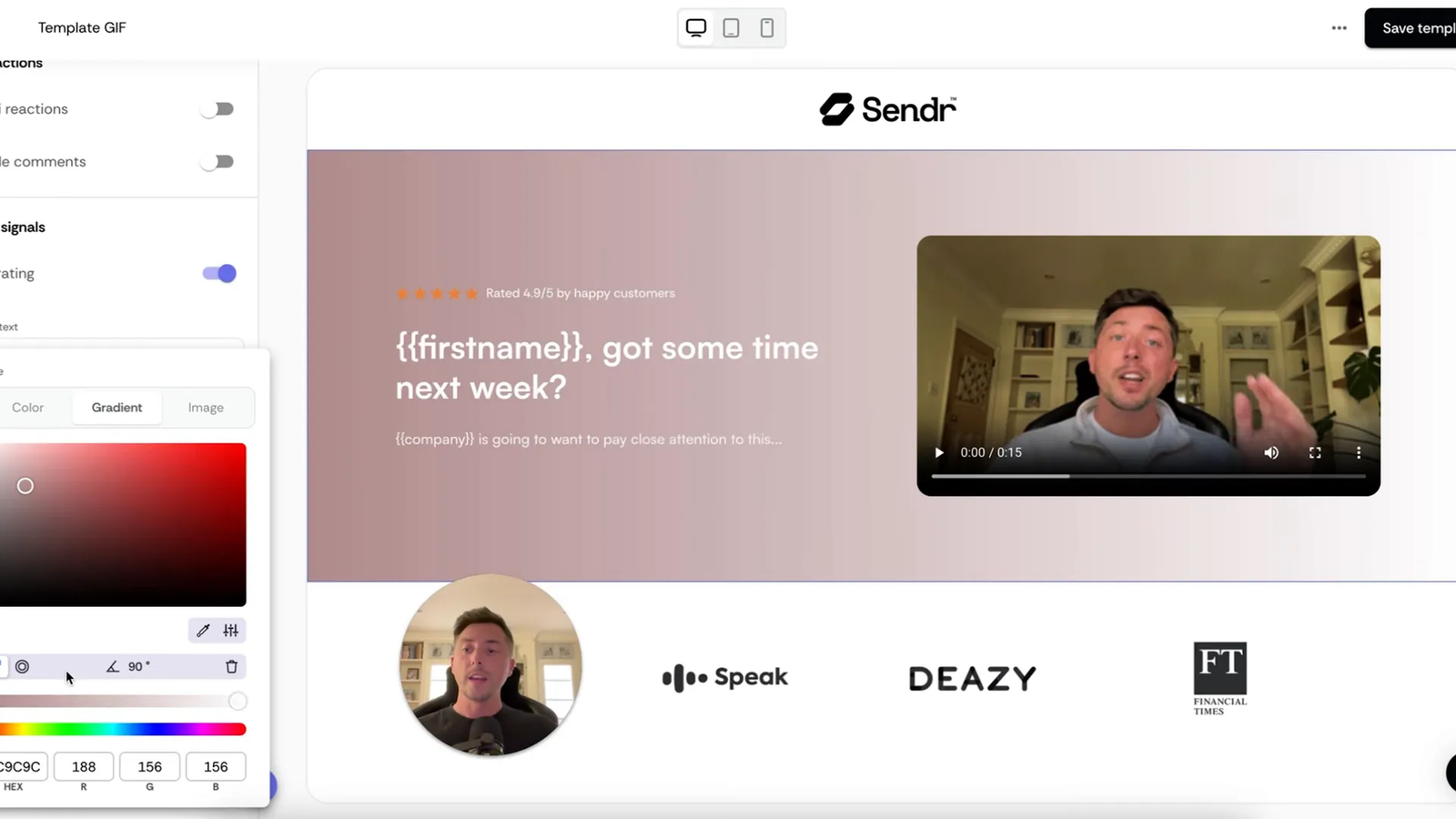
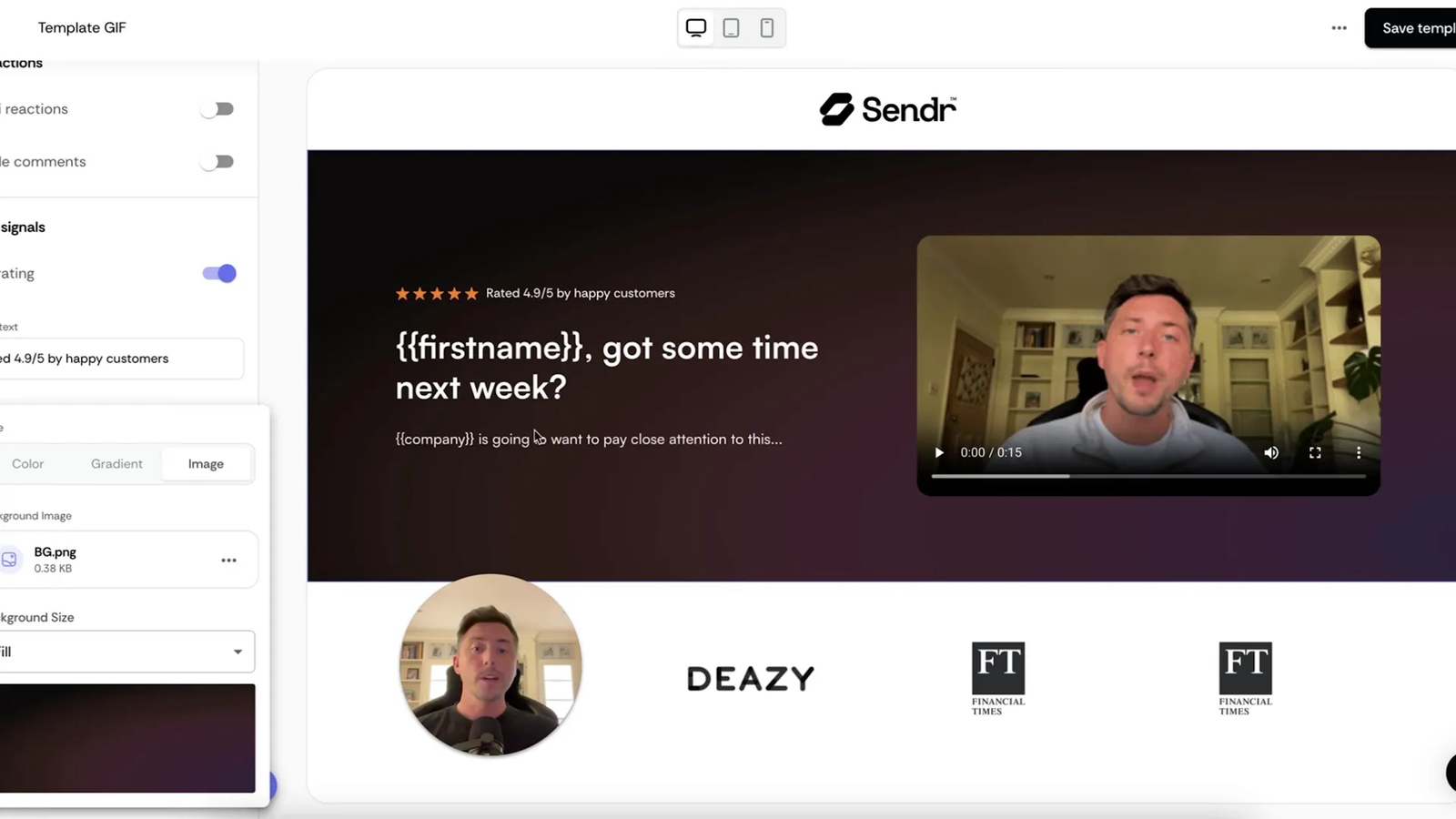
Visuals matter, especially when page screenshots turn into GIFs for emails or LinkedIn messages. Sendr now supports gradients, a gradient library, and custom image uploads. These tools help you build vibrant, engaging visuals.
Why this boosts performance
Adding gradients and responsive images makes your designs stand out. This visual appeal can increase click-through rates when you include page screenshots or GIFs in your outreach.
🧠 Prompt Library
If you use Sendr AI in tables and struggle to write or maintain prompts, the new Prompt Library saves time. Choose from pre-built, proven prompts and run them as enrichments without copying and pasting for every run.
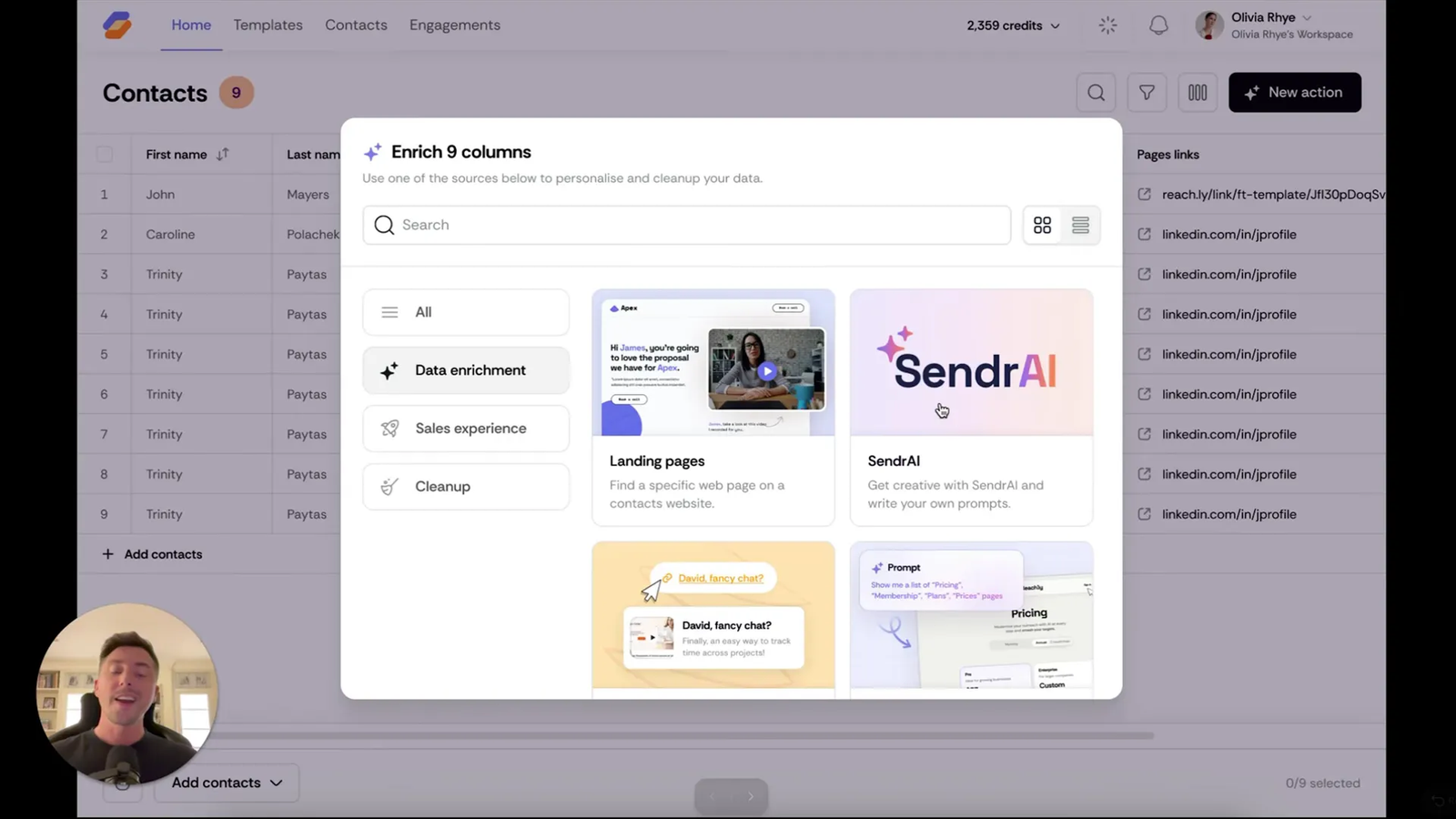
Community contributed templates
The Prompt Library is driven by the community. You can suggest prompts, and if they pass testing, Sendr adds them to the library and credits you with a link to your website or LinkedIn.
“This is a community contributed prompt library so you can actually suggest your own prompt… it will link back to your website or LinkedIn with your name.” — John, Sendr
🎬 Lip Sync Videos
Sendr’s new lip-sync feature clones mouth movements. You can record a video once and generate synchronized versions for different variables. Following nearly a year of development, the team launched lip-sync videos and credit packages across all tiers.
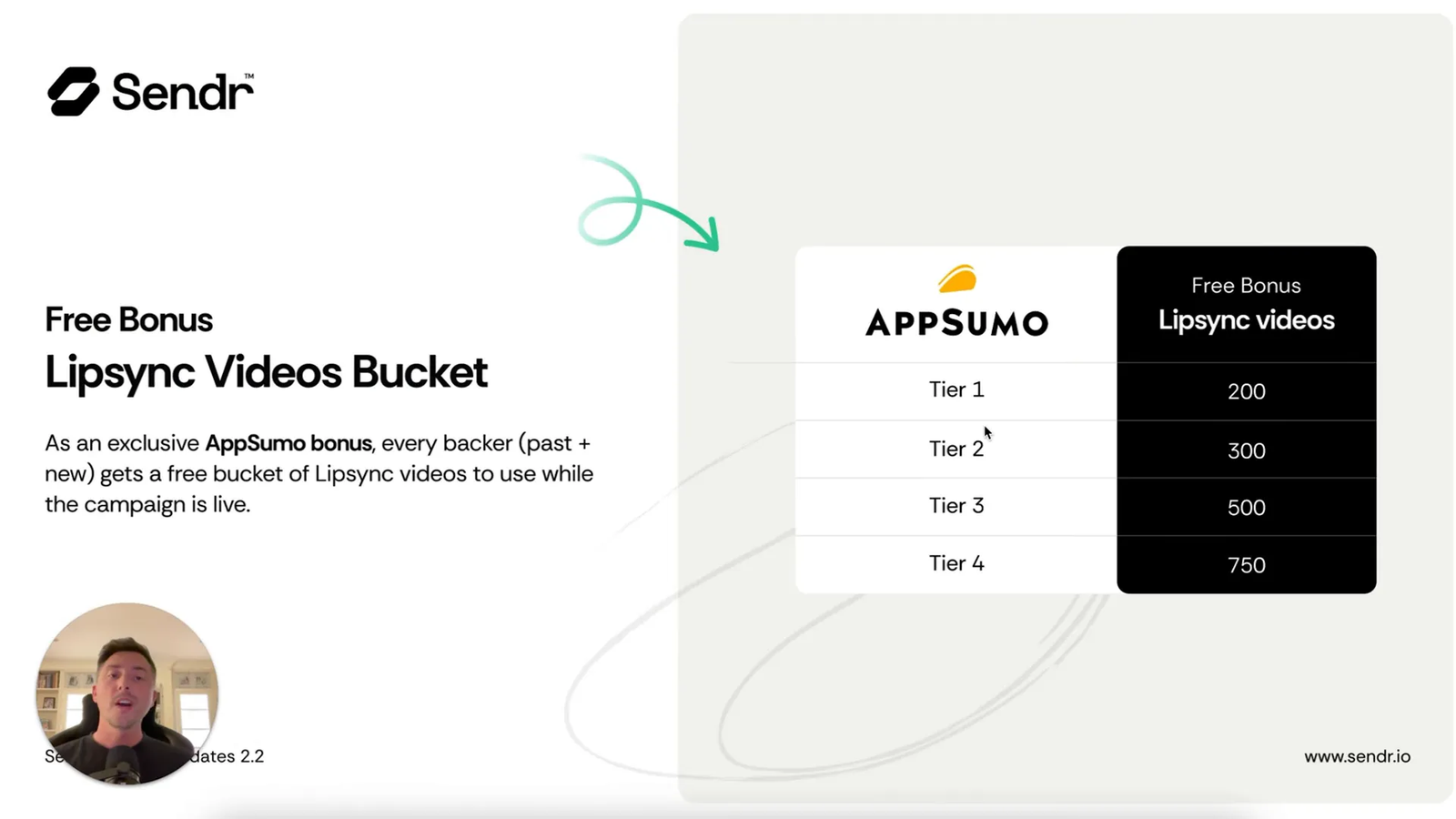
Credit packages by tier
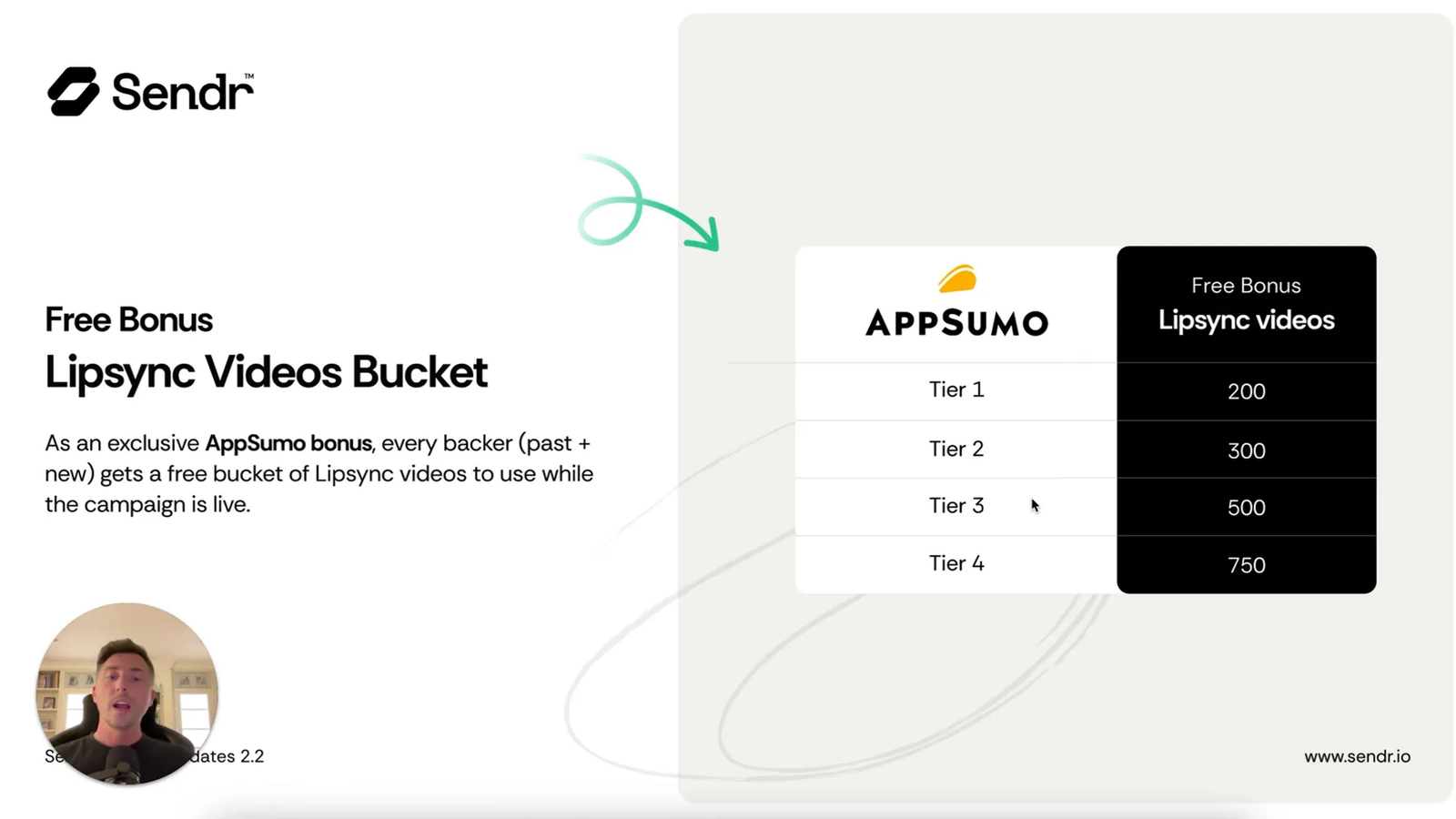
- Tier 1: 200 lip-sync videos
- Tier 2: 300 lip-sync videos
- Tier 3: 500 lip-sync videos
- Tier 4: 750 lip-sync videos
These credits are now live in your account. Test them out and share your feedback with the team.
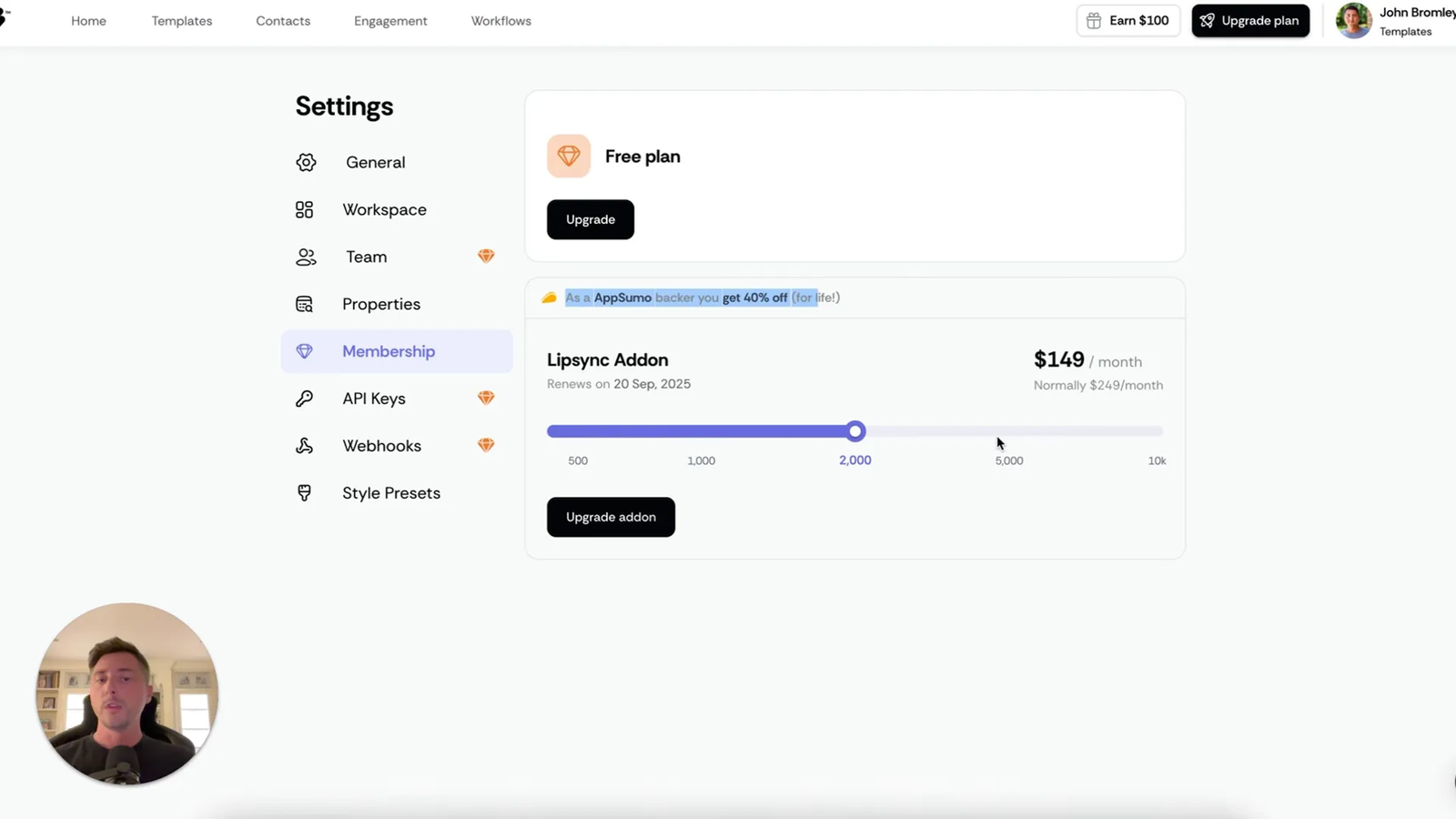
AppSumo backer discount
AppSumo backers receive a lifetime 40% discount on lip-sync add-ons. These are renewable monthly add-ons that you can cancel anytime inside your account.
✅ Conclusion
Sendr v2.2 brings several helpful tools to your workflow. Reusable brand presets speed up template creation, and unlimited voice clones encourage creative testing. Team invites make collaboration easier, while new image options improve your visuals. Finally, the Prompt Library and lip-sync videos provide powerful ways to personalize your outreach at scale.
The Sendr team delivered some excellent upgrades in this release. If you want to try Sendr v2.2, head over to AppSumo to grab the deal before it expires.
❓ FAQ
Is the Prompt Library editable or only selectable templates?
You can select pre-built prompts to run immediately. Because the library is community-contributed, you can suggest prompts. If approved, they are added to the list and credited back to you.
Are voice clones truly unlimited on all plans?
Yes. Sendr removed limits on voice clones for every tier. Create as many as you need and apply them to your page templates.
Which tiers get team invites?
Team invites and collaborator access are available in tiers 3 and 4.
How do lip-sync credits work?
Credits are allocated per tier as part of the v2.2 release. Generating a lip-sync video consumes those credits. You can purchase additional credits as monthly add-ons, and AppSumo backers receive a 40% lifetime discount on those purchases.
Can I use gradients and images for email/LinkedIn GIFs?
Yes. Because page screenshots are used to create GIF thumbnails for outreach, gradients and images directly improve visual appeal and click-through performance.
🔚 Final note
If you missed the walkthrough, John’s video demo is a great way to see everything in action. All the screenshots above come from that demo to help you spot the features inside the app. Now go build something that turns heads!